HOME OFFICE DESKS
Best Home Office Desks for a Gaming Setup (2026)
UPDATED 2026 // 12 MIN READ // 08 PRODUCTS
The desk is the component people spend the least time researching and then keep the longest. Monitors get replaced every few years and mice every couple. A desk that is the wrong depth will still be the wrong depth in a decade, and everything you put on it inherits that mistake.
Two dimensions decide almost everything. Depth determines how far back your monitor can sit, which determines the maximum panel size you can use comfortably. Width determines whether you can run two monitors, whether a mic arm has anywhere to clamp, and whether a keyboard sweep at low sensitivity is possible. Height determines your wrist angle for every hour you spend at it.
Eight desks follow — electric height-adjustable and fixed, 32 to 55 inches wide. The posture diagram further down shows the three heights that actually matter and how they relate, because "desk height" alone is not a useful number without the chair and the monitor in the picture.
At a glance
08 ROWS // SCROLL HORIZONTALLY ON MOBILE
| Product | Best For | Key Spec | Trade-off | Link |
|---|---|---|---|---|
| 01FLEXISPOT EN1 Electric Standing Desk 48x24 | A single-monitor setup where the user genuinely intends to alternate sitting… | 48X24 · ELECTRIC · 4 PRESETS · ONE-PIECE TOP | 48 inches wide is tight for a dual-monitor setup with any peripherals beside them | AMAZON |
| 02ErGear 48x24 Electric Standing Desk | A heavy setup — tower on the desk, monitor arm clamped to the edge — where… | 48X24 · ELECTRIC · 4 PRESETS · 176 LB | Two-piece tops at this size can develop a slight ridge at the seam | AMAZON |
| 03Claiks Electric Standing Desk 48x24 | Someone who has watched a previous standing desk yank a cable out of a wall… | 48X24 · ELECTRIC · CABLE HUB | Built-in hubs are sized for the manufacturer assumption about how many cables you have, which… | AMAZON |
| 04Huuger 55" Computer Desk | A dual-monitor setup, or a single ultrawide with room either side for a… | 55" WIDE · METAL FRAME · LARGE LEGROOM | Fixed height, so it has to be the right height for you as delivered | AMAZON |
| 05SHW Mission 40" Home Office Computer Desk | A small room, a second desk, or a console and single-monitor setup where… | 40" WIDE · FIXED HEIGHT · BLACK | 40 inches is a single-monitor width — a dual setup will not fit comfortably | AMAZON |
| 06DUMOS 32" Computer Desk with Drawers | A dorm, a rental, or any room where the desk has to double as the only… | 32" WIDE · DRAWERS · SIDE BAG · HEADPHONE HOOK | 32 inches is genuinely narrow — this is a laptop or single small monitor desk | AMAZON |
| 07DUMOS 32" Small Computer Desk | A laptop station, a second desk for a partner in a shared room, or a… | 32" WIDE · RUSTIC BROWN · COMPACT | No storage of any kind, so everything lives on the surface | AMAZON |
| 08Lufeiya 40" White Desk with Drawers | A bedroom study corner or a first work-from-home setup where storage matters… | 40" WIDE · DRAWERS · WHITE | Fixed height, so the chair does the ergonomic work | AMAZON |
The picks

FLEXISPOT EN1 Electric Standing Desk 48x24
A one-piece 48x24 top on an electric frame with four height presets. The single-piece surface is the detail — no seam down the middle to catch a mouse pad edge.
TRADE-OFFS
- 48 inches wide is tight for a dual-monitor setup with any peripherals beside them
- Electric frames have a motor and a controller, which are the two parts that eventually fail
- Assembly is a two-person job because of the weight of the frame

ErGear 48x24 Electric Standing Desk
An electric 48x24 rated to 176 pounds. That capacity figure covers a full tower, two monitors on an arm, and a person leaning on it, with room left over.
TRADE-OFFS
- Two-piece tops at this size can develop a slight ridge at the seam
- Load capacity is a static rating — it is not a guarantee of stability at full standing height
- Wobble at maximum height is common to almost every desk in this class
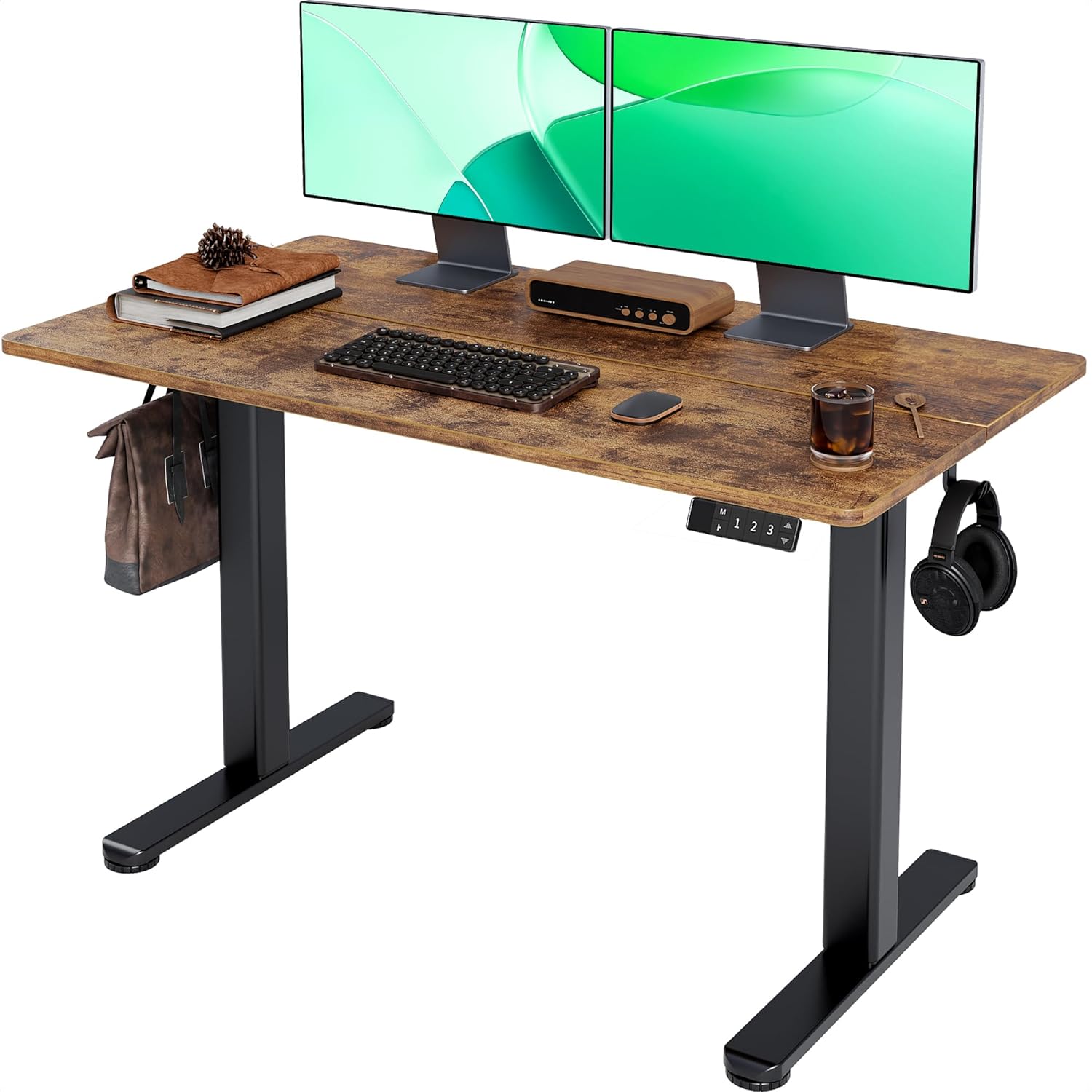
Claiks Electric Standing Desk 48x24
An electric 48x24 with a built-in cable management hub. Integrated routing on a moving desk is worth more than it is on a fixed one, because slack management is a real problem.
TRADE-OFFS
- Built-in hubs are sized for the manufacturer assumption about how many cables you have, which is usually fewer than reality
- Integrated routing is harder to modify later than a plain tray
- Same wobble characteristics as the rest of the two-leg electric class at full height

Huuger 55" Computer Desk
The widest fixed desk here at 55 inches, on a metal frame with clear legroom underneath. Width is what a dual-monitor setup actually needs, and this has it.
TRADE-OFFS
- Fixed height, so it has to be the right height for you as delivered
- Wide desks need a wall to match — measure before ordering
- No integrated cable management
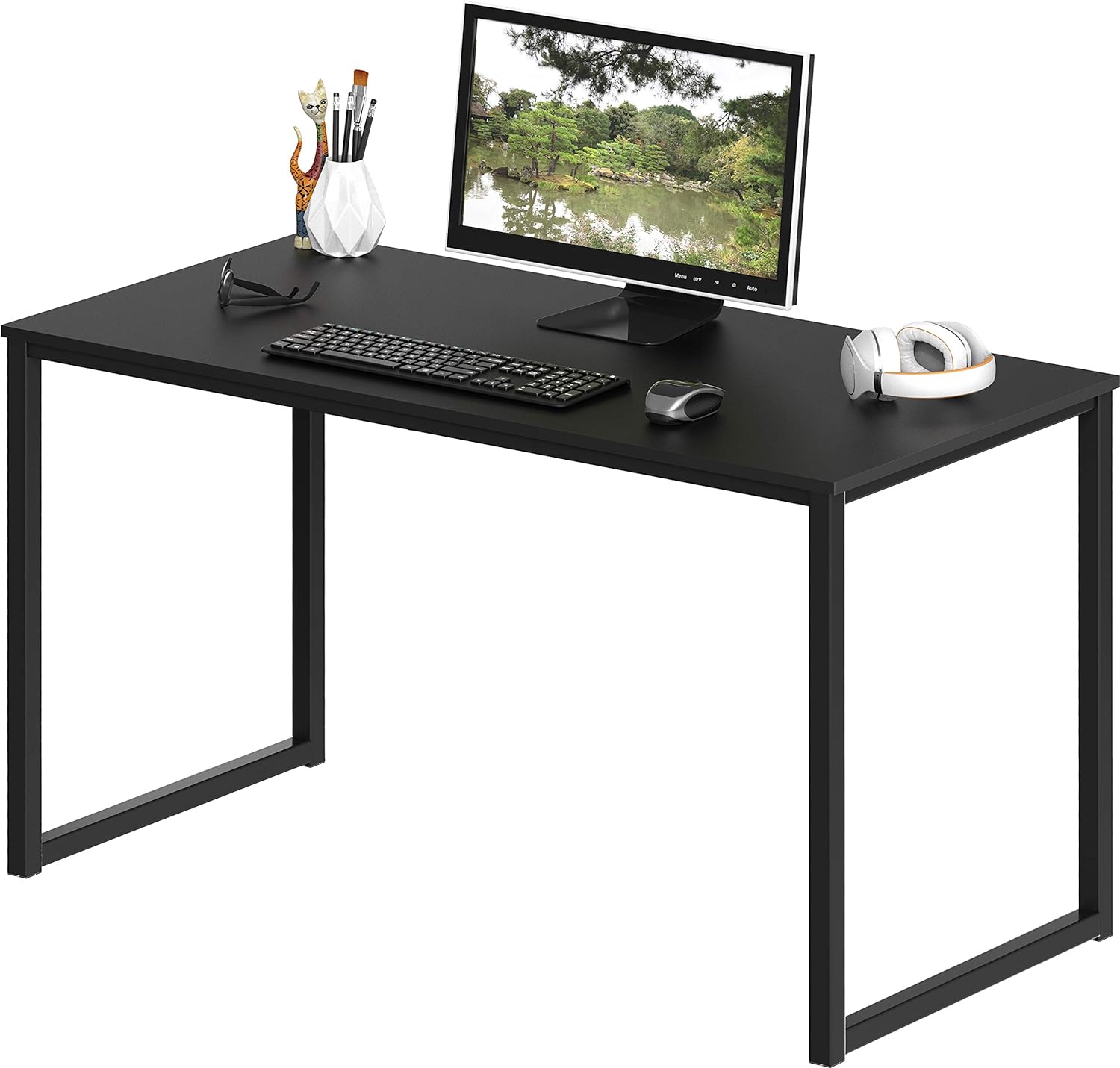
SHW Mission 40" Home Office Computer Desk
A plain 40-inch fixed desk in black. No motor, no presets, no drawers — a flat surface at a height, which is sometimes exactly the requirement.
TRADE-OFFS
- 40 inches is a single-monitor width — a dual setup will not fit comfortably
- Fixed height with no adjustment at all
- Minimal frame means it is not the desk for a heavy monitor arm
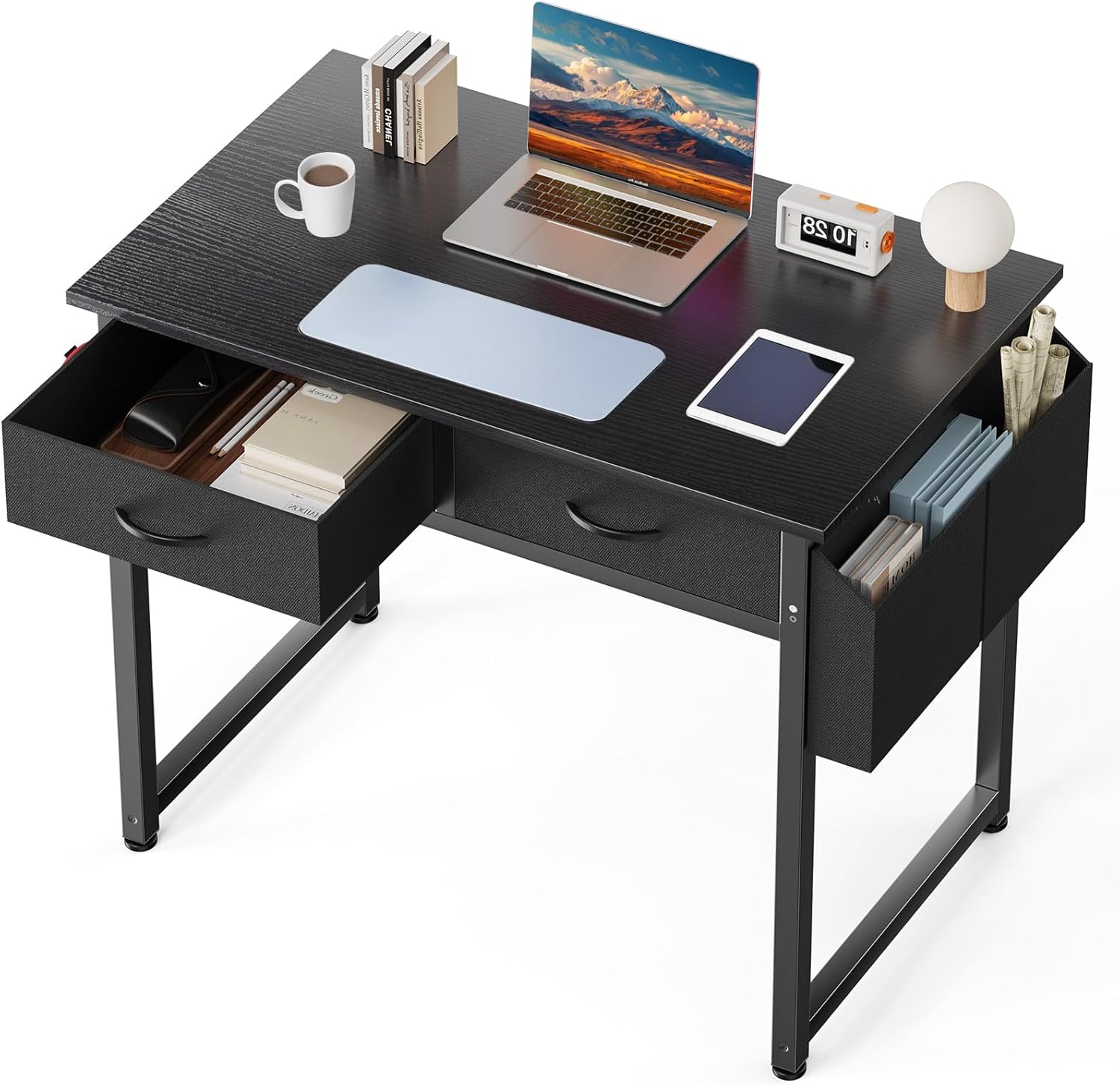
DUMOS 32" Computer Desk with Drawers
A 32-inch desk with drawers, a fabric side bag, and a headphone hook. Storage built into a small footprint, which is the only way small desks stay usable.
TRADE-OFFS
- 32 inches is genuinely narrow — this is a laptop or single small monitor desk
- Drawers under the top reduce the legroom available
- Fabric side storage is not going to hold anything heavy
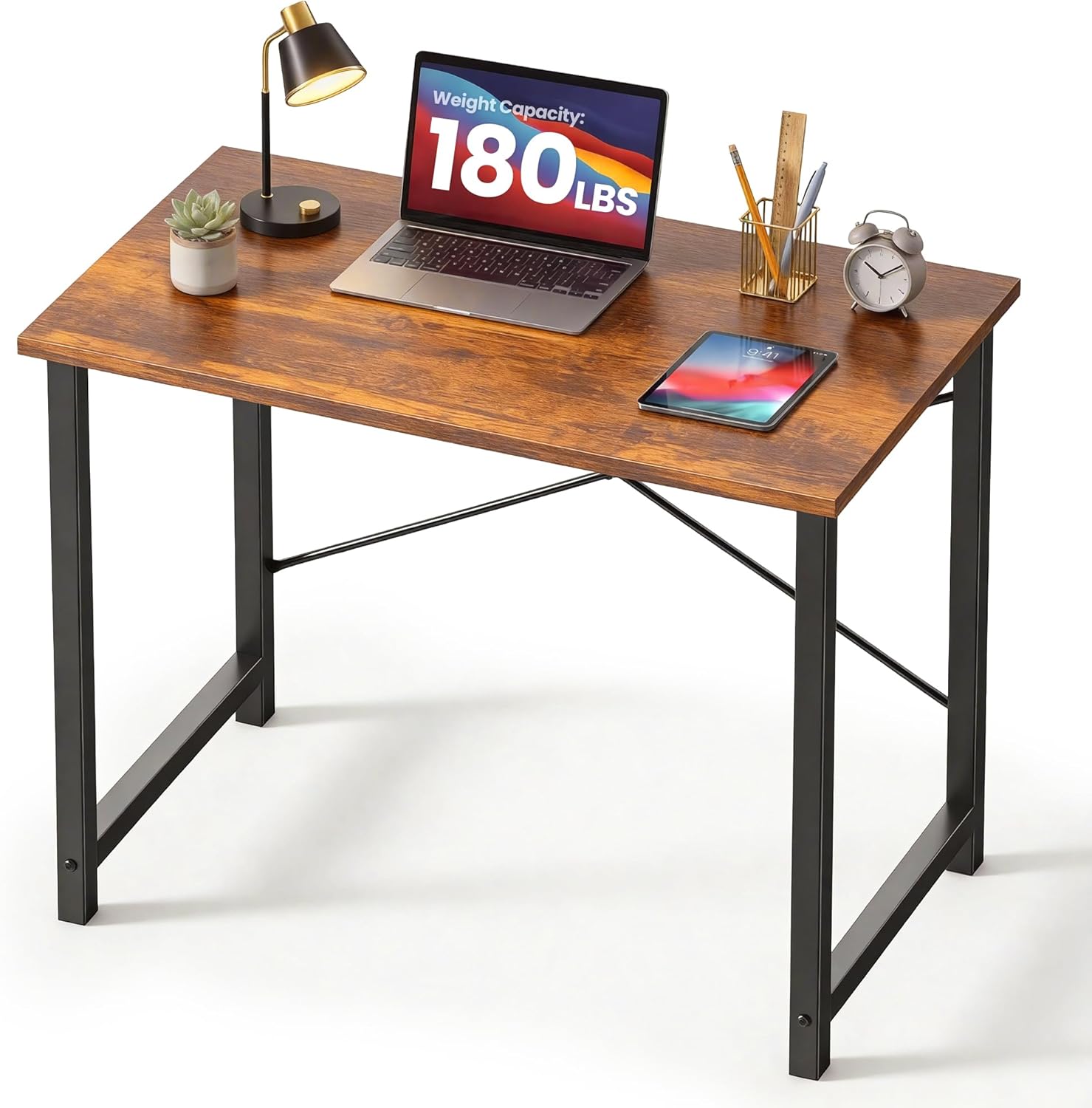
DUMOS 32" Small Computer Desk
The plainest desk on the list. 32 inches, rustic brown, no storage. It is a surface and four points of contact with the floor.
TRADE-OFFS
- No storage of any kind, so everything lives on the surface
- 32 inches limits you to a laptop or one small monitor
- Light construction means it will move if you lean on it
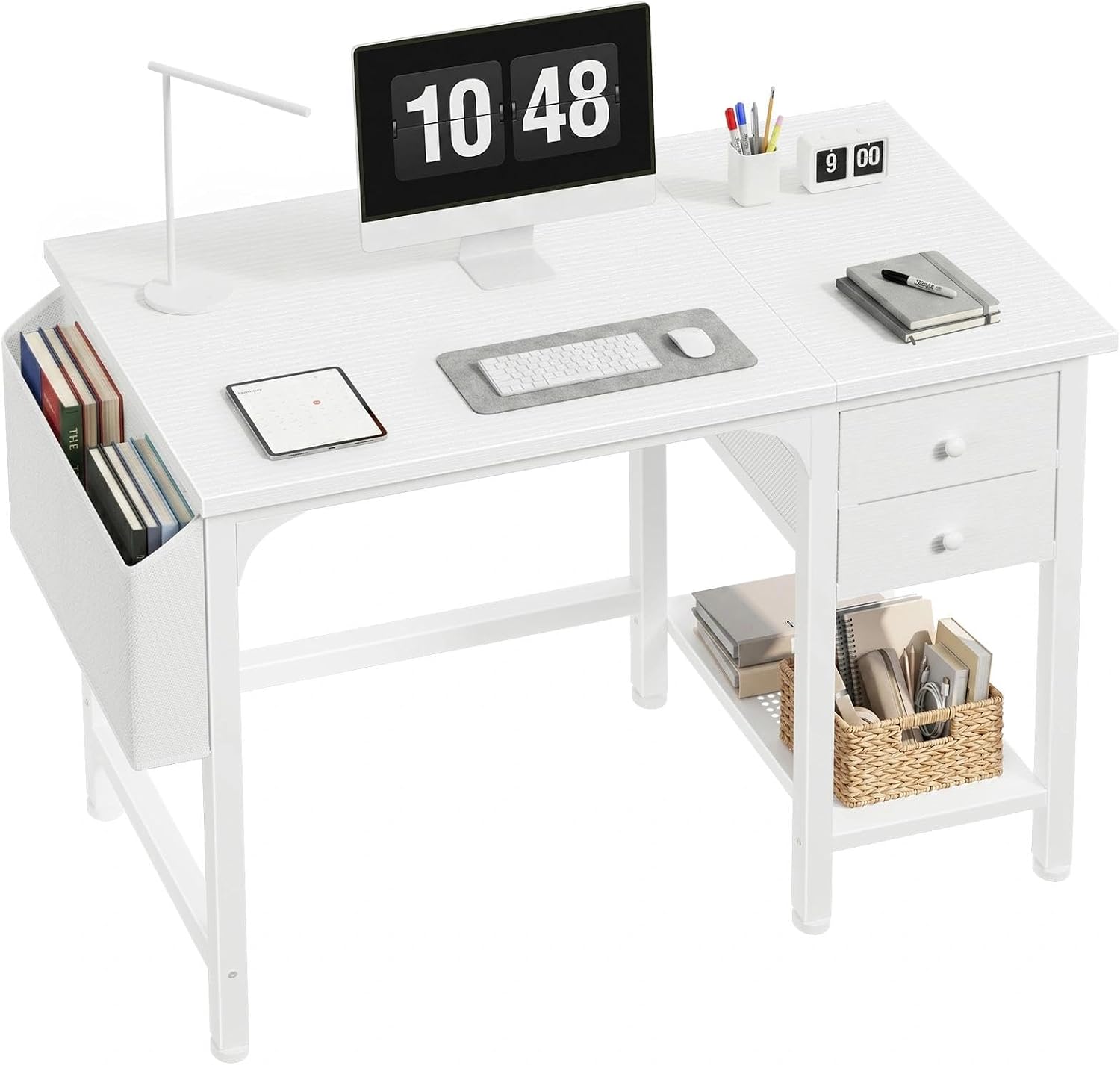
Lufeiya 40" White Desk with Drawers
A 40-inch white desk with fabric drawers underneath. The step between the bare 32-inch surfaces and the full-width workstations — enough room for one monitor and a notebook, with somewhere to hide the clutter.
TRADE-OFFS
- Fixed height, so the chair does the ergonomic work
- The drawers are fabric bins on rails, not cabinetry — fine for light items, wrong for anything heavy
- A light frame at this price will flex slightly if you lean hard on one corner
// MEASURE TWICE
Measure the room, not just the desk
A 55-inch desk needs 55 inches of clear wall plus room for a chair to push back, and a corner desk needs both walls free of radiators, sockets and door swings. Mark the footprint on the floor with tape before ordering. Returning a desk is far more painful than returning almost anything else on this site.
// ASSEMBLY
Retighten every bolt after two weeks
New desk frames settle as the joints bed in, and a bolt that was tight on assembly day is often slightly loose a fortnight later. The overwhelming majority of "my standing desk wobbles" reports are a loose crossbar. Ten minutes with the supplied hex key resolves most of them.
Buying guide
Depth first, and 24 inches is the practical floor
Desk depth sets your maximum comfortable monitor size. You want roughly an arm length between your eyes and a 27-inch panel, and more for anything larger. Once you subtract the depth taken by the monitor stand base and leave room for a keyboard in front, a 24-inch-deep desk is the minimum that supports a 27-inch monitor without pushing it uncomfortably close.
If you are stuck with a shallower desk, a VESA arm clamped to the back edge lets you push the panel out over the edge and reclaim several inches. That is the single most effective fix for a shallow desk and it also returns the stand footprint to you as usable surface.
Width decides what else fits
A 32-inch desk holds a laptop or one small monitor and a keyboard. A 40-inch desk holds a single monitor setup comfortably. A 48-inch desk is the standard for one large monitor or a tight dual arrangement. Two 24-inch monitors side by side with peripherals in front of them want 55 inches or more.
Width also determines whether a microphone arm, a stream deck, or a drawing tablet has anywhere to live. If you stream, add at least a foot to whatever width you thought you needed — the accessories that make streaming work all need edge space to clamp to.
Fixed height is almost always the wrong height
Fixed desks are typically built at around 29 to 30 inches, which is a standard derived from writing desks, not from typing. For most adults that is too tall: your elbows end up above 90 degrees and your wrists bend upward to reach the keys, which is the posture that causes trouble over years.
The correct seated height puts your forearms roughly parallel to the floor with your elbows at about 90 degrees and your shoulders relaxed. If a fixed desk is too tall, raise your chair until the arm position is right and add a footrest so your feet are supported — that is a functional fix. If it is too low, there is very little you can do, which is why erring taller and adjusting the chair is the safer default.
Electric frames: what actually varies
Almost every electric standing desk in this price band uses a similar two-stage leg design, and they are more alike than the marketing suggests. What genuinely varies is load capacity, whether the top is one piece or two, how many presets the controller stores, and how much lateral wobble there is at full standing height.
Wobble is the complaint that comes up most, and the cause is usually a loose crossbar rather than a design fault. New frames settle over the first few weeks. Check every bolt after two weeks of use and again at three months, and a large proportion of standing-desk wobble complaints resolve themselves.
Plan the cable route before you assemble anything
On a height-adjustable desk, every cable that leaves the desk has to tolerate the full range of travel. The correct approach is to mount a power strip to the underside of the desk itself, plug everything on the desk into that strip, and run exactly one cable from the strip down to the wall with enough slack for full extension.
The wrong approach — and the one that eventually pulls a plug out of a socket or a monitor cable out of a port — is running each device cable individually down to the floor. Raise the desk to full height before you finalise any cable length, and leave a generous loop at that position.
// STANDING
Standing all day is not the goal
The benefit of a height-adjustable desk is changing position, not standing permanently. Standing still for eight hours produces its own set of problems in the legs and lower back. Alternate — a rough starting point is switching position every half hour to hour — and put a mat down if you stand on a hard floor.
// GOES DEEPER ON THIS
Desk Ergonomics for Long Sessions: Height, Monitor Distance, and Arm Support
Ergonomics gets dismissed as office-poster material until the third hour of a session, when your shoulders are up around your ears and you cannot work out why. Three measurements fix most of it.
Questions
REFERENCES
- OSHA — Computer workstations eTool
The standard reference on desk height, chair adjustment and neutral seated posture.
- NIOSH — Ergonomics and musculoskeletal disorders
Research background on sustained posture, static loading and workstation design.
- ANSI/BIFMA — Office furniture standards
The industry standards body behind furniture stability, strength and durability testing.
OTHER CATEGORIES
© 2026 RIGSPAWNDESK — HOW WE PICK