POWER STRIPS
Best Power Strips and Surge Protectors for a Desk (2026)
UPDATED 2026 // 13 MIN READ // 15 PRODUCTS
The power strip is the least interesting component on the desk and the one most likely to be chosen at random. It is also the one carrying everything else. A strip with a low surge rating sitting behind a machine worth many times its cost is a common and entirely avoidable arrangement.
Three specifications carry most of the decision. The joule rating tells you how much surge energy the protective components can absorb before they are spent. Outlet count and spacing tell you whether your actual collection of plugs and adapters will physically fit. Cord length tells you whether it reaches the socket you have rather than the one you wish you had.
Fifteen strips follow, from 300 to 2100 joules, six to twelve outlets, three to ten feet of cord. There is a load-sharing diagram further down showing how devices stack up on a single circuit, and a desk power budget calculator on the homepage if you want to work through your own numbers.
At a glance
15 ROWS // SCROLL HORIZONTALLY ON MOBILE
| Product | Best For | Key Spec | Trade-off | Link |
|---|---|---|---|---|
| 01Anker Surge Protector Power Strip, 12 AC Outlets | A full desk — PC, two or three monitors, lighting, speakers, and chargers —… | 2100J · 12 AC · 1 USB-C + 2 USB-A · 5FT | Twelve outlets on one strip makes it very easy to exceed what a single circuit should carry —… | AMAZON |
| 02TESSAN Surge Protector Power Strip, Flat Plug | A desk pushed against a wall where a standard plug physically will not fit… | 900J · 8 AC + 3 USB · FLAT PLUG · 5FT | 900J is modest — this is a reasonable strip for accessories, not the one to put a high-end PC… | AMAZON |
| 03HANYCONY Surge Protector Power Strip, Braided Cord | Anyone doing a proper cable-management pass who wants the strip fixed to the… | 1080J · 8 AC + 4 USB · 2 USB-C · WALL MOUNT | Mounting it permanently makes it harder to move to a new desk later | AMAZON |
| 04SUPERDANNY Surge Protector, 10ft Flat Plug | A desk positioned away from the wall, in the middle of a room, or in a space… | 1050J · 8 AC + 4 USB · 2 USB-C · 10FT | A longer cord means more cable to manage and more to trip over if it crosses a walkway | AMAZON |
| 05Yintar Surge Protector Power Strip, 6ft | A compact desk where you want strong surge protection but do not need twelve… | 1680J · 6 AC + 3 USB · ETL LISTED · 6FT | Six outlets fills up quickly once monitors and lighting are accounted for | AMAZON |
| 06Anker Power Strip with USB-C, Flat Plug | A bedside table, a secondary desk, or a charging corner where the load is… | 300J · 6 AC · 2 USB-C + 2 USB-A · FLAT PLUG | 300J is the lowest surge rating on this list — this is not the strip for a desktop PC | AMAZON |
| 076ft Surge Protector, 8 Widely-Spaced Outlets | A desk full of wall-wart power supplies — monitors, LED controllers, external… | 8 OUTLETS + 4 USB · 3-SIDED · WIDELY SPACED · 6FT | A three-sided body is bulkier than a flat strip and harder to mount under a desk | AMAZON |
| 08One Beat 10ft Flat Plug Extension Cord | Reaching a distant socket in a bedroom or living-room setup, where charging… | 10FT · 6 OUTLETS + 4 USB · 2 USB-C · FLAT PLUG | An extension cord with outlets is not the same as a surge protector — check before assuming… | AMAZON |
| 09Olcorife Flat Plug Power Strip, 3-Sided | A light-coloured room or a visible position where a black strip would stand… | 5FT · 6 OUTLETS + 3 USB · 1 USB-C · 3-SIDED | White plastic shows dust and discolours faster than black over years of use | AMAZON |
| 10Olcorife Flat Extension Cord with Outlet Cover | A visible wall socket behind a desk or bed where appearance is the actual… | 5FT · 6 OUTLETS + 3 USB · OUTLET COVER | The cover only fits standard outlet plate dimensions — check yours before ordering | AMAZON |
| 11Power Strip Tower with 15W Wireless Charger | A desk where you plug and unplug devices constantly and are tired of reaching… | 12 AC + 4 USB · 15W WIRELESS · 6FT · TOWER | It sits on the desk, so it is visible — that is the trade for accessibility | AMAZON |
| 12Sleek Socket Ultra-Thin Outlet Concealer | A desk or bed pushed hard against a wall with a socket directly behind it,… | 3FT · ULTRA-THIN · OUTLET CONCEALER | 3ft of reach only — this solves a proximity problem, not a distance one | AMAZON |
| 13CHCORE 5ft Braided Power Strip, 8 Outlets + 4 USB | A desk or bedside setup where the strip sits in view, and where phone, watch,… | 8 AC + 4 USB · 2 USB-C · 5FT BRAIDED · FLAT PLUG | 5ft of cord is the shortest full-size run here; measure the wall distance before assuming it… | AMAZON |
| 14Multi Plug Wall Outlet Extender, 6 Outlets + 4 USB | The socket that collects chargers — bedside, kitchen counter, or entry table… | 6 AC + 4 USB · 2 USB-C · WALL MOUNT · NO CORD | Everything hangs off one wall socket, so total load is capped by that single circuit point | AMAZON |
| 15Travel Flat Plug Power Strip, 22.5W USB, 6ft | Travel, LAN events, and the person who works from hotels and cafés often… | 22.5W/4.5A USB · 6FT · FLAT PLUG · TRAVEL | The 4 | AMAZON |
The picks

Anker Surge Protector Power Strip, 12 AC Outlets
Twelve AC outlets and 2100 joules of surge rating, plus 20W USB. The joule figure is the headline: it is the highest here, and joules are the spec that actually matters on a surge protector.
TRADE-OFFS
- Twelve outlets on one strip makes it very easy to exceed what a single circuit should carry — count your load
- A 5ft cord may not reach a distant wall socket
- Physically large, so it needs a planned home under the desk rather than a spot on the floor
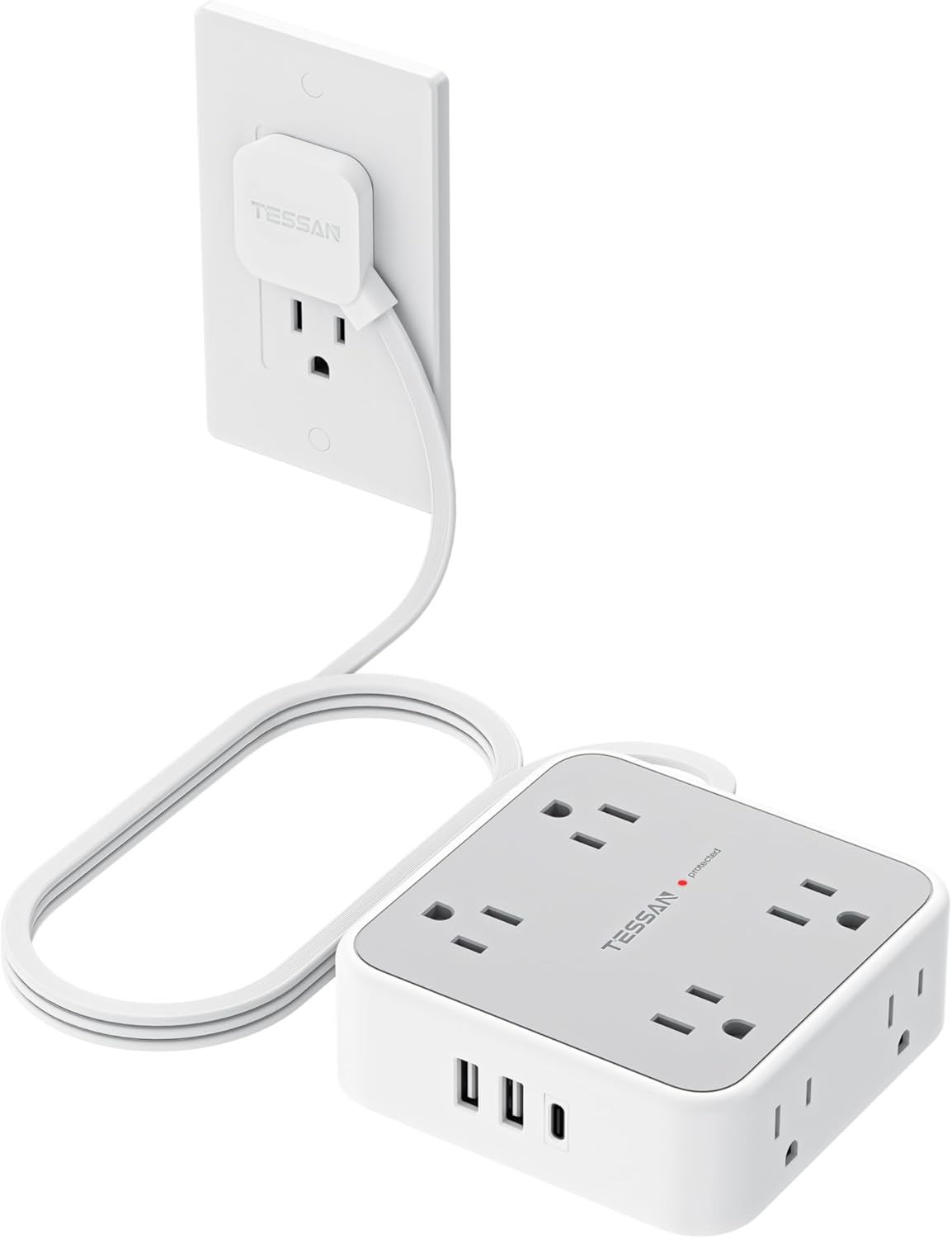
TESSAN Surge Protector Power Strip, Flat Plug
Eight outlets, three USB ports including a USB-C, on a flat plug. The flat plug is what lets a desk sit flush against the wall instead of four inches off it.
TRADE-OFFS
- 900J is modest — this is a reasonable strip for accessories, not the one to put a high-end PC behind
- Three USB ports share a total power budget, so charging speeds drop as you fill them
- 5ft cord limits placement

HANYCONY Surge Protector Power Strip, Braided Cord
Eight outlets, four USB with two USB-C, a braided cord, and wall-mount keyholes on the back. The mounting holes are the reason to pick this one.
TRADE-OFFS
- Mounting it permanently makes it harder to move to a new desk later
- 1080J is mid-range protection, not high-end
- Braided cords pick up dust and are harder to wipe clean

SUPERDANNY Surge Protector, 10ft Flat Plug
A 10ft cord on a flat plug, with eight outlets and four USB. Ten feet is the length that reaches the wall socket you actually have rather than the one you wish you had.
TRADE-OFFS
- A longer cord means more cable to manage and more to trip over if it crosses a walkway
- Extra cord length adds a small amount of voltage drop, though not enough to matter at desk loads
- 1050J is mid-range protection

Yintar Surge Protector Power Strip, 6ft
A 1680 joule rating with ETL listing on a compact six-outlet strip. High protection in a small package, and third-party safety certification stated on the listing.
TRADE-OFFS
- Six outlets fills up quickly once monitors and lighting are accounted for
- Only three USB ports and no USB-C called out
- No wall-mount hardware

Anker Power Strip with USB-C, Flat Plug
Six outlets and four USB ports, two of them USB-C, on a flat plug. Built as a charging hub first and a surge protector second, and the 300J rating reflects that.
TRADE-OFFS
- 300J is the lowest surge rating on this list — this is not the strip for a desktop PC
- Six outlets is limiting for a full desk
- Four USB ports share a power budget, so all four occupied means all four slower

6ft Surge Protector, 8 Widely-Spaced Outlets
A three-sided body with widely spaced outlets. Outlet spacing is the spec that decides whether your wall warts actually fit, and this is built around it.
TRADE-OFFS
- A three-sided body is bulkier than a flat strip and harder to mount under a desk
- No joule rating stated prominently, so treat it as a convenience strip rather than serious protection
- The shape does not sit flat against a wall
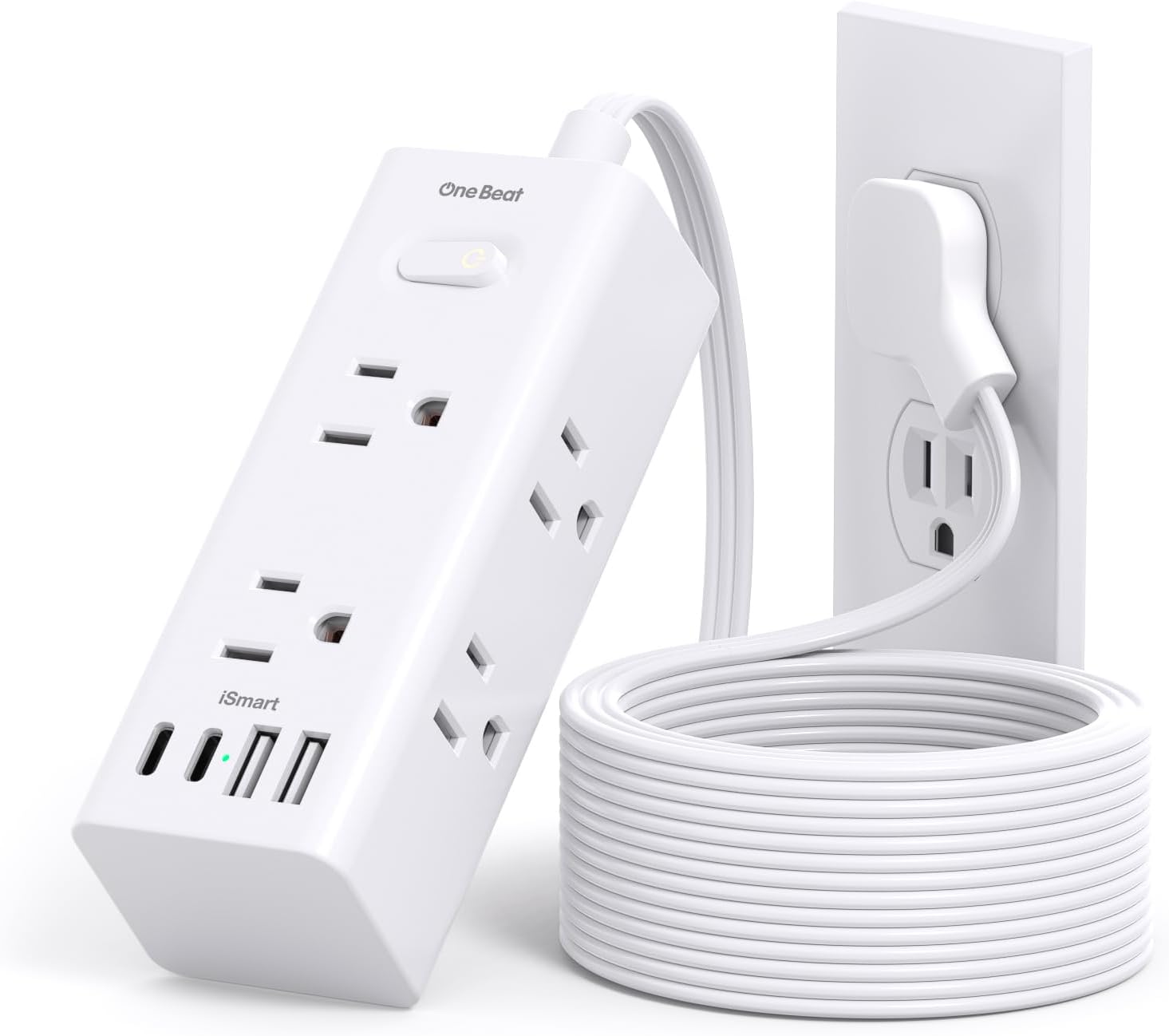
One Beat 10ft Flat Plug Extension Cord
Ten feet of flat-plug extension with six outlets and four USB ports. Reach and charging in the same unit, in a slim body.
TRADE-OFFS
- An extension cord with outlets is not the same as a surge protector — check before assuming protection
- Six outlets on a long cord invites the temptation to overload it
- Flat cords crease permanently if bent at a sharp angle

Olcorife Flat Plug Power Strip, 3-Sided
A compact three-sided strip in white with six outlets and three USB. The white finish is deliberate — it disappears against a white skirting board or desk.
TRADE-OFFS
- White plastic shows dust and discolours faster than black over years of use
- Only one USB-C port
- 5ft cord is short for a floor-standing desk

Olcorife Flat Extension Cord with Outlet Cover
A flat extension with an outlet cover that conceals the wall plate. Aimed at a specific problem: the socket is visible and ugly, and the desk cannot move.
TRADE-OFFS
- The cover only fits standard outlet plate dimensions — check yours before ordering
- An extension cord rather than a rated surge protector
- 5ft is short if the desk is not adjacent to the wall

Power Strip Tower with 15W Wireless Charger
A vertical tower with twelve outlets, four USB, and a 15W wireless charging pad on top. Designed to sit on the desk rather than hide under it.
TRADE-OFFS
- It sits on the desk, so it is visible — that is the trade for accessibility
- A tower is top-heavy and will go over if a cable is yanked
- Wireless charging generates heat and is slower than a cable
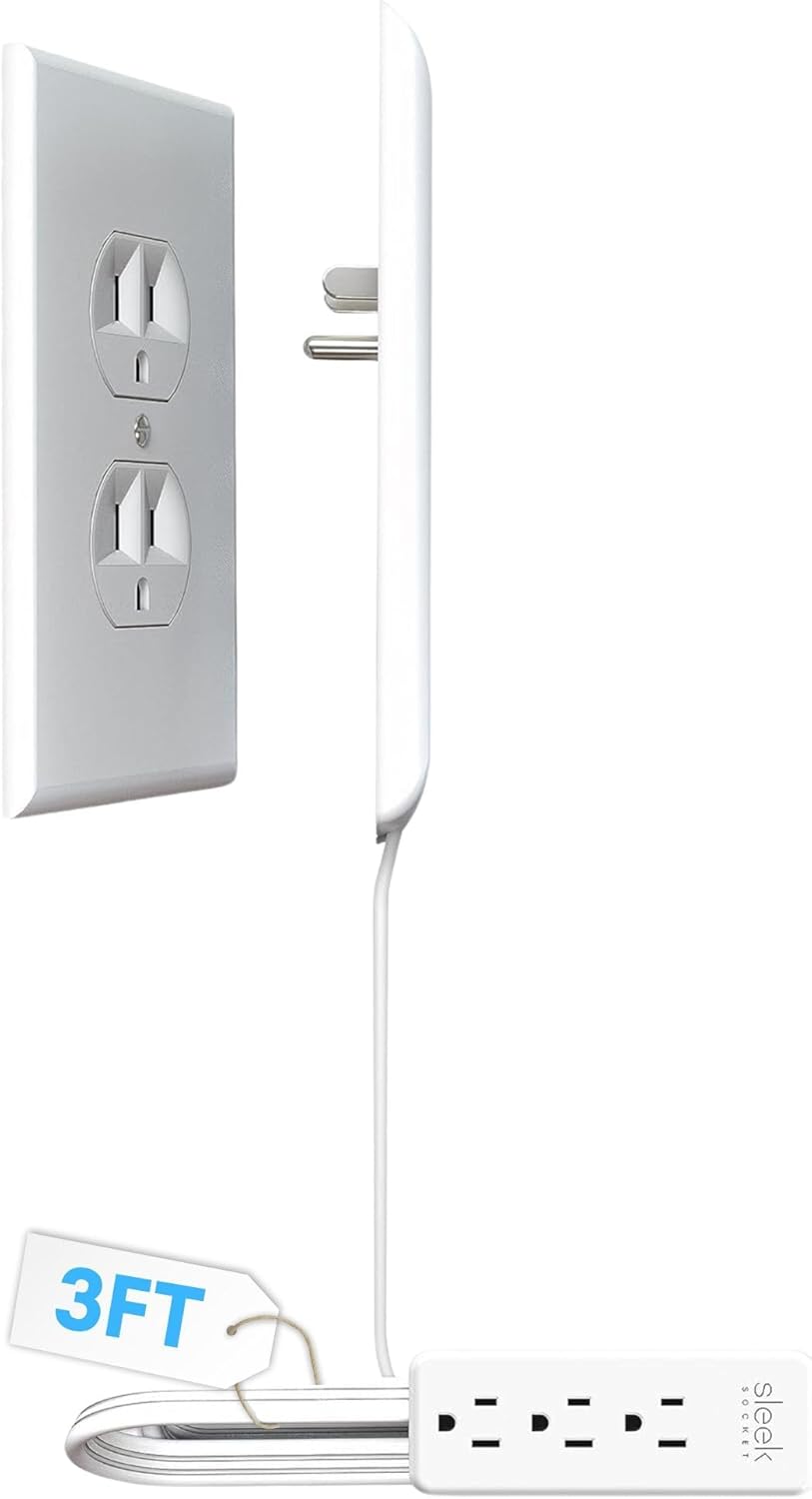
Sleek Socket Ultra-Thin Outlet Concealer
An ultra-thin outlet concealer with a short extension kit. The thinnest profile here, built to let furniture sit genuinely flush against the wall.
TRADE-OFFS
- 3ft of reach only — this solves a proximity problem, not a distance one
- Fewer outlets than any strip on this list
- Not a surge protector

CHCORE 5ft Braided Power Strip, 8 Outlets + 4 USB
Eight outlets and four USB ports — two of them USB-C — on a braided 5ft cord with a flat plug, in white. The visible-on-the-desk option: braided cable and clean styling instead of black plastic hidden under the desk.
TRADE-OFFS
- 5ft of cord is the shortest full-size run here; measure the wall distance before assuming it reaches
- USB output is shared across the four ports, so four devices at once charge slower than two
- White housings show scuffs and cable marks sooner than black

Multi Plug Wall Outlet Extender, 6 Outlets + 4 USB
No cord at all: this plugs straight into the wall socket and turns it into six outlets plus four USB ports, two of them USB-C. Surge protection included, cable clutter not.
TRADE-OFFS
- Everything hangs off one wall socket, so total load is capped by that single circuit point
- A heavy adapter in a top outlet levers the whole unit away from the wall over time
- It occupies both receptacles of the wall plate and sticks out too far to hide behind flush furniture

Travel Flat Plug Power Strip, 22.5W USB, 6ft
The strip that lives in a bag. Compact body, flat plug, 6ft of cord, and 22.5W of USB charging — built around the hotel-room problem of one awkward socket behind the nightstand.
TRADE-OFFS
- The 4.5A USB budget is shared — a phone, a watch, and earbuds at once all slow down
- Fewer outlets and a lower rating than any desk strip on this list; it is not a battlestation solution
- A flat plug helps behind furniture but the body still needs somewhere flat to sit
// SAFETY
Never daisy-chain power strips
Plugging one strip into another is called out explicitly in fire-safety guidance. It defeats the current rating of both units, concentrates load at a single wall socket, and puts the entire chain behind whatever the weakest link is rated for. If you need more outlets, use one strip with more of them, or use a second wall socket on a different circuit.
// THE LIGHT LIES
A lit "protected" indicator does not mean you are protected
On most strips that LED confirms the ground connection is present, not that the surge-absorbing components still have capacity. Those components deplete silently over years of ordinary use. Age is the more reliable signal: replace a surge protector every three to five years, and immediately after any major electrical event.
Buying guide
Joules are the specification that matters
A surge protector works by diverting excess voltage into components that absorb energy. Those components are consumed in the process. The joule rating is the total energy the protector can absorb over its lifetime, whether that arrives as one large event or hundreds of small ones. When the rating is used up, the strip continues to pass power but no longer protects anything.
Higher is straightforwardly better. Anything under about 500 joules should be treated as a convenience strip for lamps and chargers. Six hundred to twelve hundred is reasonable for peripherals. Above fifteen hundred is where you want a desktop computer sitting. Note that many products sold as "power strips" or "extension cords" have no surge protection at all — the listing will simply not mention joules.
Protection wears out silently
This is the part almost nobody knows: a surge protector degrades every time it does its job. Each small surge consumes some of its capacity, and small surges happen routinely — a fridge compressor cycling, an air conditioner starting, a lightning strike several streets away. After a few years, a strip may have very little protective capacity left.
The indicator light on most strips confirms that the ground connection is intact, not that the protective components are still functional, so a lit "protected" LED is not evidence of anything useful. Replace surge protectors every three to five years, and replace one immediately after any significant electrical event in the building regardless of what the light says.
Outlet spacing decides whether the outlets are usable
A strip advertising twelve outlets may effectively give you seven, because a bulky adapter occupies the space of two or three. Desk setups are full of these: monitor bricks, LED controllers, external drive supplies, audio interfaces. Count how many of yours are oversized before choosing a strip.
Two designs address it. Widely-spaced strips increase the gap between outlets, and three-sided or tower designs give each outlet clearance on its own face. If your desk runs more than three or four wall warts, one of these is worth having specifically for them, with your standard cables going on a conventional strip.
What you can safely put on one strip
A standard household circuit in the US is 15 amps at 120 volts, which is 1800 watts, and the continuous-load guidance is to stay at or below eighty percent of that — about 1440 watts sustained. If that does not match the 1875 watts printed on the strip in front of you, both figures are right: 1875 is the strip’s own nameplate rating at 125 volts, and the 15 amp branch circuit behind it is the lower number and therefore the one that governs. Most desks are nowhere near either: a monitor draws in the tens of watts, LED strips a handful, and a gaming PC under real load is typically in the low hundreds rather than the thousands its power supply is rated for.
The load that causes trouble is not computing equipment. It is heaters, kettles, air conditioners and hair dryers, all of which draw close to the full circuit on their own. Never put a space heater on a desk power strip, and never plug a power strip into another power strip — daisy-chaining defeats the rating of both and is called out specifically in fire-safety guidance.
Mount it, do not leave it on the floor
A strip on the floor collects dust, gets kicked, and sits where a spilled drink lands. Almost every problem people have with power strips is solved by screwing it to the underside of the desk with the outlets facing outward, where it stays clean and you can reach it without crawling.
On a height-adjustable desk this is not optional. Mount the strip to the desk itself so it travels with the surface, and run a single cable from the strip to the wall with slack sized for full extension. Twelve individual cables running from a moving desk to a fixed wall socket is a plug being pulled out at some point in the future.
// THE ONE TO AVOID
Nothing that heats goes on a desk strip
Space heaters, kettles, and hair dryers each draw close to an entire household circuit on their own. A desk strip carrying a PC, three monitors and lighting has no headroom for one. This is the single most common cause of overloaded strips, and it is entirely avoidable — plug high-draw appliances directly into a wall socket.
// GOES DEEPER ON THIS
Wiring a Desk: Power, Surge Protection, and Cable Routing That Survives an Upgrade
Most desk wiring is built once, in a hurry, on the floor, and then defended for years because nobody wants to redo it. Here is how to build it so the next upgrade takes ten minutes instead of an afternoon.
Questions
REFERENCES
- U.S. Consumer Product Safety Commission — Electrical safety
Official guidance on power strip use, overloading and extension cord safety.
- National Fire Protection Association — Home fire safety
Fire-safety guidance including the specific warning against daisy-chaining power strips.
- UL Solutions — Product safety certification
Background on third-party safety testing and what a UL or ETL listing on a power strip means.
OTHER CATEGORIES
© 2026 RIGSPAWNDESK — HOW WE PICK