PC GAMING HEADSETS
Best PC Gaming Headsets for Long Sessions (2026)
UPDATED 2026 // 11 MIN READ // 07 PRODUCTS
A headset is judged in the fourth hour, not the first. Almost any headset sounds acceptable for twenty minutes. The ones worth owning are the ones you forget you are wearing, and that comes down to clamp force, weight distribution, and earpad material — none of which appear as a specification on the box.
The second thing that decides a headset is how it connects. A 3.5mm cable works on everything and never needs charging. A USB connection unlocks processing. A 2.4GHz dongle gives you wireless without latency. Bluetooth gives you convenience with latency. Several headsets here do more than one of these at once, and that flexibility is often the actual reason to pick one.
Seven headsets follow, wired and wireless, with the trade-offs stated plainly. There is a positional-audio diagram further down explaining what surround processing is actually doing, because it is the most misunderstood feature in the category.
At a glance
07 ROWS // SCROLL HORIZONTALLY ON MOBILE
| Product | Best For | Key Spec | Trade-off | Link |
|---|---|---|---|---|
| 01HyperX Cloud III Wired Gaming Headset | Anyone who wants one headset that works across PC, console, and handheld… | WIRED · 53MM ANGLED · USB-C / USB-A / 3.5MM | A cable running to your head is one more thing to catch on the chair arm | AMAZON |
| 02Razer BlackShark V2 X Gaming Headset | A first serious headset, and anyone who wants one 3 | WIRED · 7.1 SURROUND · 50MM · 3.5MM | Virtual surround is a processing effect, not physical speakers — it helps some people locate… | AMAZON |
| 03SteelSeries Arctis Nova 7X Wireless Gen 2 | Streamers and console players who need game audio and a phone or second… | WIRELESS · 2.4GHZ · BLUETOOTH | Two wireless connections is two things that can go wrong, and pairing gets fiddly | AMAZON |
| 04HyperX Cloud III S Wireless Gaming Headset | Someone who wants one pair of headphones for the desk and the commute, with… | WIRELESS · 53MM ANGLED · DETACHABLE MIC | A detachable mic is a small part that will eventually get lost in a drawer | AMAZON |
| 05Razer BlackShark V3 X HyperSpeed Wireless | Glasses wearers and anyone who found the clamp on their last headset painful… | WIRELESS · 2.4GHZ · BLUETOOTH | The X models sit below the flagship BlackSharks in build materials | AMAZON |
| 06Logitech G432 Wired Gaming Headset | A first build, a spare desk, or anyone who specifically wants DTS positional… | WIRED · DTS HEADPHONE:X 2.0 · 50MM | The surround processing requires the Logitech software on PC to work at all | AMAZON |
| 07AOC 2.4GHz Wireless Gaming Headset | Anyone who has abandoned a wireless headset before because charging it became… | WIRELESS · 2.4GHZ · BLUETOOTH 6.0 · 45HR | AOC is far better known for monitors than for audio, so there is less community knowledge to… | AMAZON |
The picks
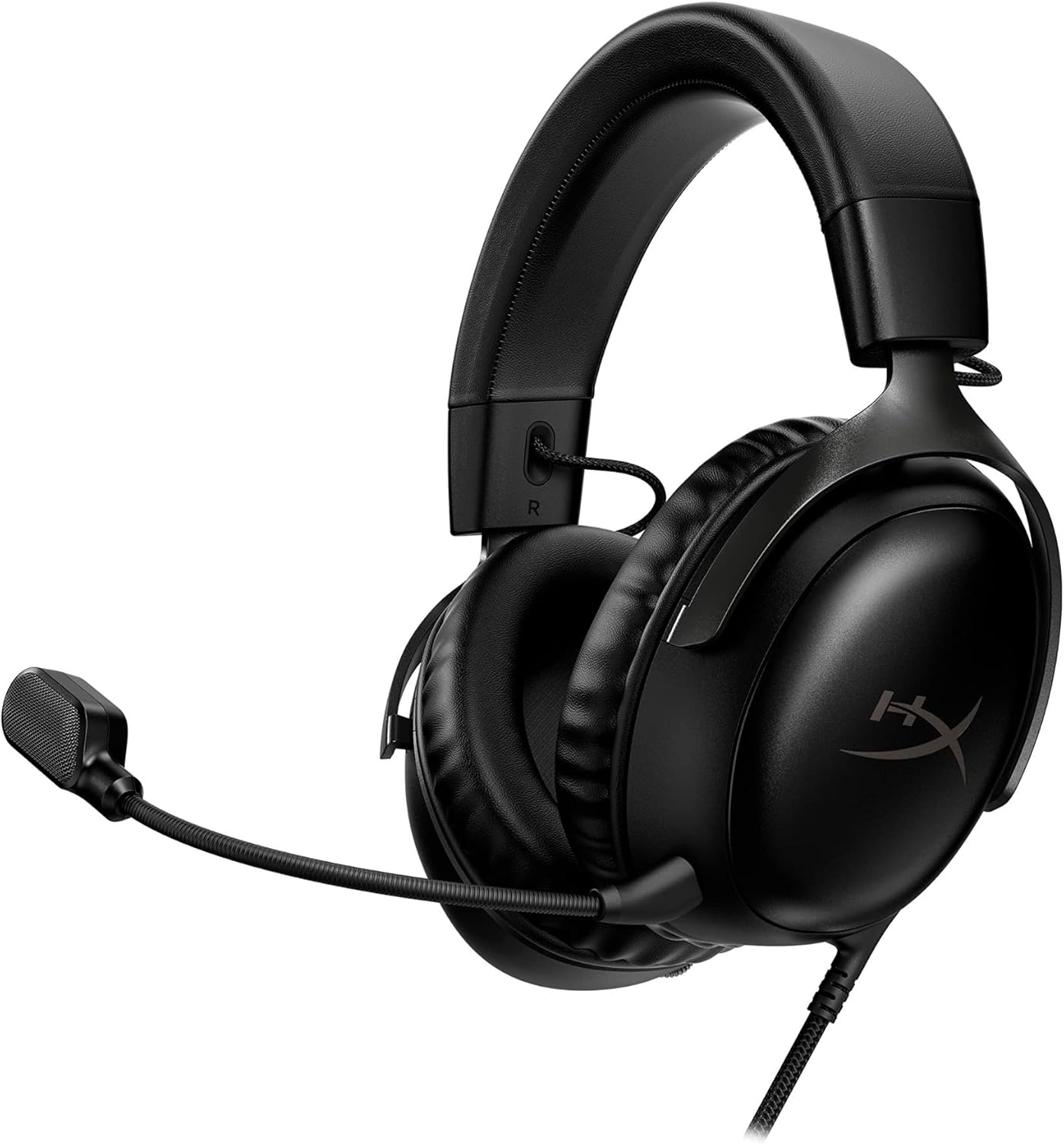
HyperX Cloud III Wired Gaming Headset
Angled 53mm drivers, and three ways to plug in — USB-C, USB-A, and 3.5mm. That connector spread means it works on a PC, a console, a handheld, and a phone without adapters.
TRADE-OFFS
- A cable running to your head is one more thing to catch on the chair arm
- Wired headsets tie you to the desk — no walking away mid-download
- Clamp force out of the box is firm and takes a few sessions to settle
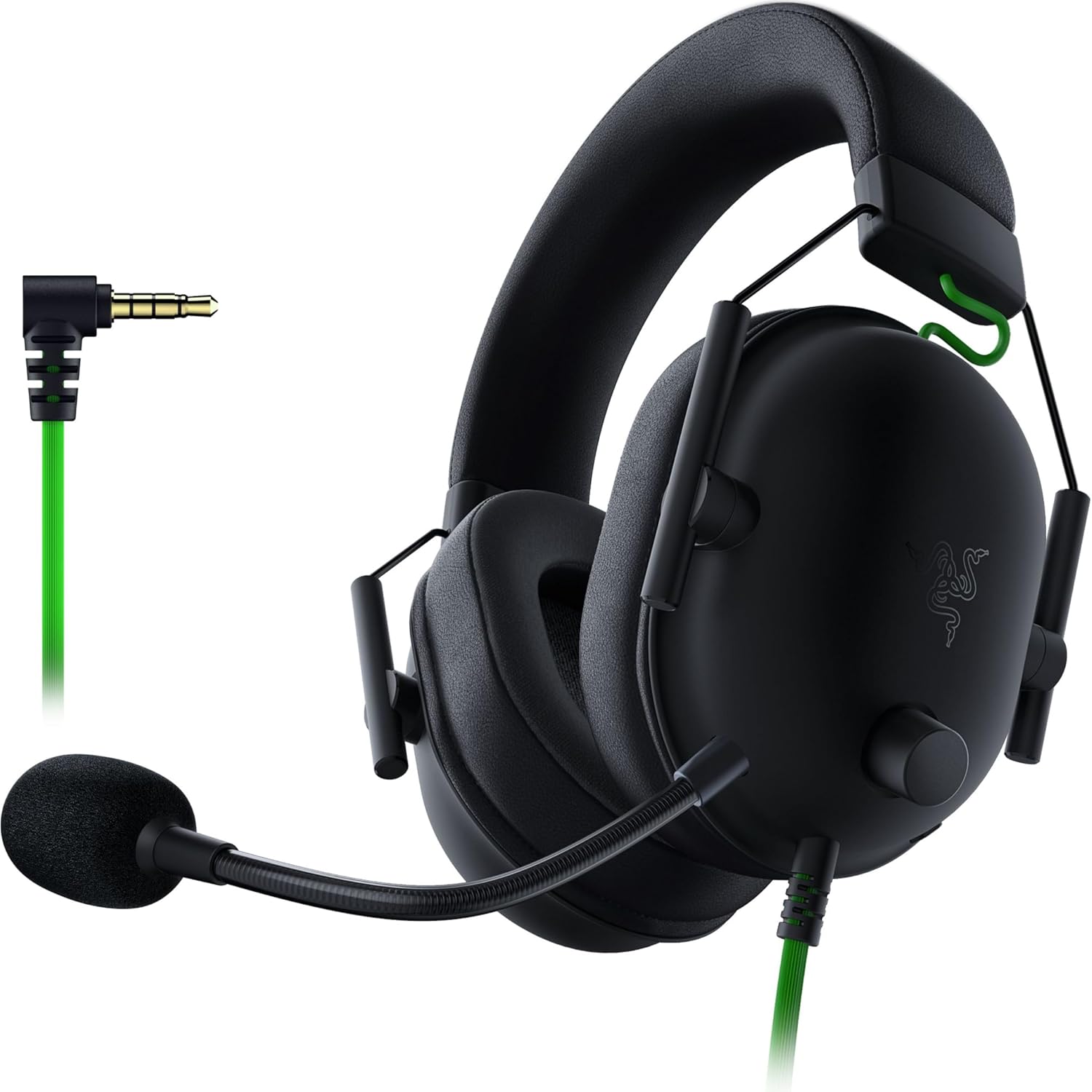
Razer BlackShark V2 X Gaming Headset
A 3.5mm headset with 50mm drivers and 7.1 surround processing on PC. Light, plain, and the default recommendation for years for a reason.
TRADE-OFFS
- Virtual surround is a processing effect, not physical speakers — it helps some people locate sound and confuses others
- Plastic construction that looks and feels like its position in the range
- No wireless option in this model
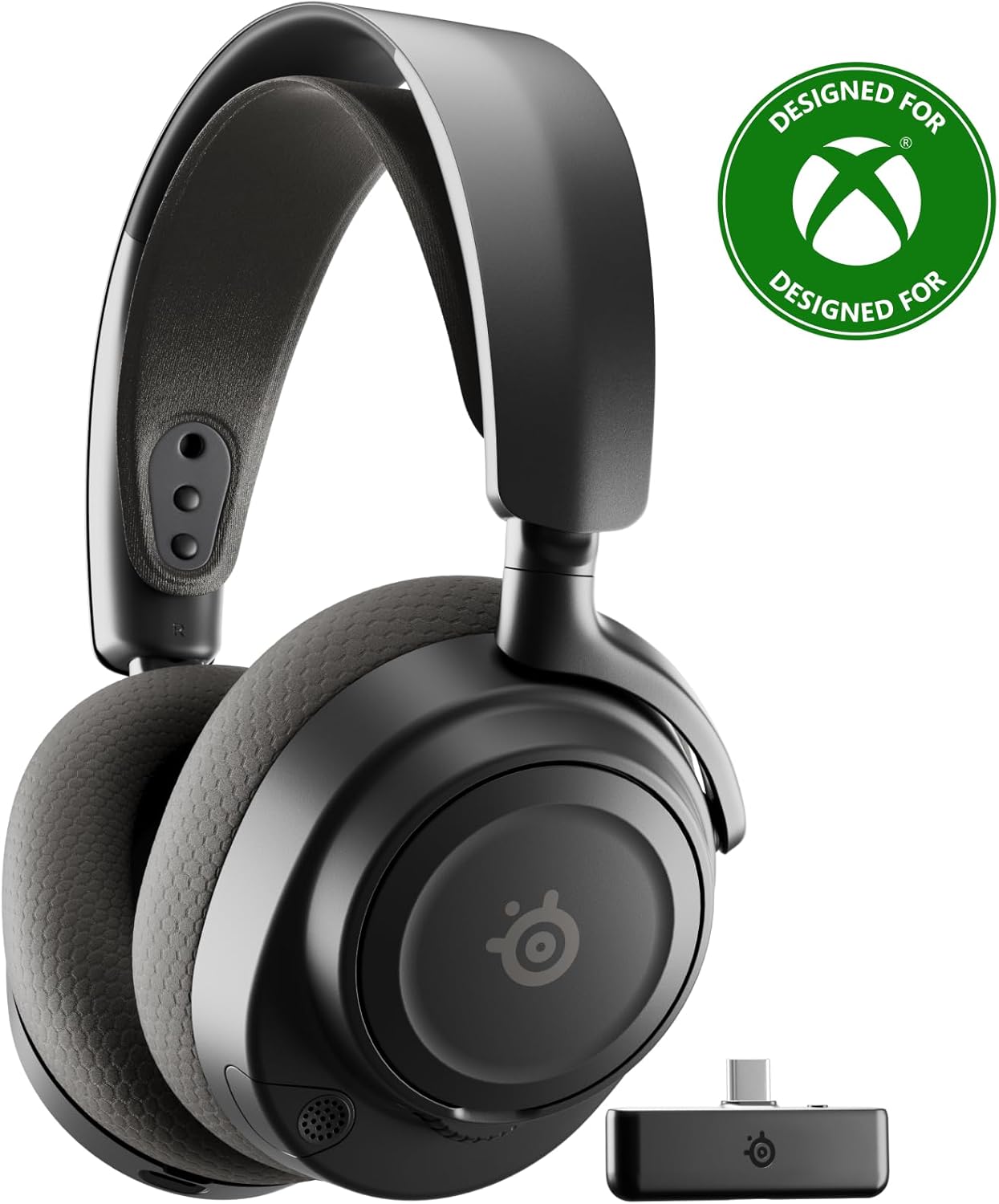
SteelSeries Arctis Nova 7X Wireless Gen 2
Simultaneous 2.4GHz and Bluetooth. Game audio on the low-latency link, phone or Discord on Bluetooth, both in your ears at once without swapping.
TRADE-OFFS
- Two wireless connections is two things that can go wrong, and pairing gets fiddly
- A wireless headset is a scheduled charging obligation
- Dual-radio headsets cost more than an equivalent wired model

HyperX Cloud III S Wireless Gaming Headset
The wireless version of the angled-driver design, with a mic that comes off entirely. That last part matters if the headset doubles as your walking-around headphones.
TRADE-OFFS
- A detachable mic is a small part that will eventually get lost in a drawer
- Single wireless mode means no simultaneous phone connection
- Battery management is now part of your routine

Razer BlackShark V3 X HyperSpeed Wireless
Wireless in the BlackShark line, with both a 2.4GHz link and Bluetooth. The lighter, plainer alternative in the dual-connection tier.
TRADE-OFFS
- The X models sit below the flagship BlackSharks in build materials
- Bluetooth latency makes it unsuitable for competitive audio — use the 2.4GHz link for anything timing-sensitive
- Another battery to keep topped up
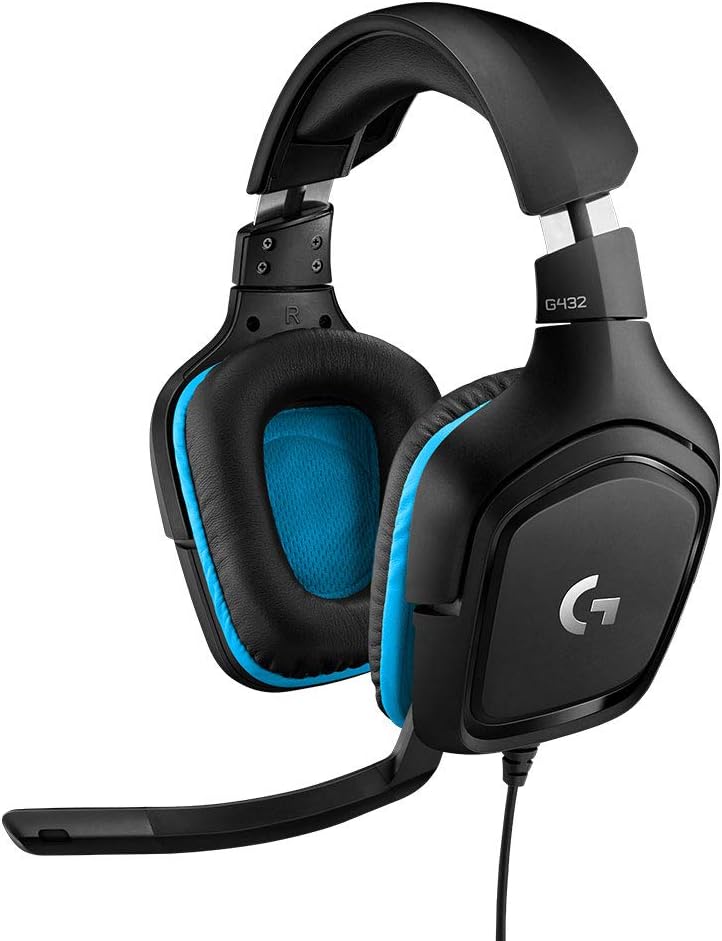
Logitech G432 Wired Gaming Headset
A wired headset with 50mm drivers and DTS Headphone:X 2.0 processing. A long-running, widely available model that turns up on a lot of first builds.
TRADE-OFFS
- The surround processing requires the Logitech software on PC to work at all
- The frame is on the heavier side for a wired headset
- Earcup padding compresses over time and is the first thing to wear out

AOC 2.4GHz Wireless Gaming Headset
A quoted 45-hour battery with 2.4GHz and Bluetooth 6.0. The runtime figure is the headline here, and it is the spec that changes daily habits most.
TRADE-OFFS
- AOC is far better known for monitors than for audio, so there is less community knowledge to draw on
- Quoted battery figures are measured at moderate volume — expect less at the levels people actually listen at
- Fewer accessories and replacement parts available than the established headset brands
// MAINTENANCE
Flattened earpads are why your headset sounds thin now
Earpads compress over months of use. As they flatten, the seal against your head degrades, and a broken seal loses low frequencies first. A headset that used to sound full and now sounds hollow usually needs pads, not replacement. Replacement pads are inexpensive and restore most of the original character.
// HEARING
Long sessions are the risk, not loud moments
Hearing damage from headphones is a function of level and duration together. Sustained listening at high volume across a five-hour session does more harm than a brief loud moment. If you have to raise your voice to be heard by someone in the same room while wearing them, they are too loud for that length of session.
Buying guide
Comfort is a mechanical problem with mechanical causes
Headset discomfort has three usual sources. Clamp force presses the earcups into the sides of your head — too much and you get pressure headaches above the ear, too little and the seal breaks and the bass disappears. Weight on the crown of the head causes a hot spot at the top of the skull, which a suspension headband distributes and a thin padded band does not. Earpad material decides how much heat and moisture builds up: fabric breathes and wears faster, leatherette seals better and gets warm.
If a headset clamps too hard, stretching the headband gently over a box overnight genuinely helps and is reversible. If it is too heavy on the crown, no amount of adjustment fixes it. Weight is the specification to check if you have had crown pressure before.
Glasses change which headsets work
If you wear glasses, the arms of the frame run directly under the earpads, and clamp force presses them into your temples. After two hours this becomes the dominant sensation. Softer, thicker pads with more give handle this much better than firm, dense ones, and lower clamp force matters more than it does for anyone else.
Positioning also helps: sitting the earcups slightly further back so the pad sits behind the hinge of the glasses arm removes most of the pressure point. Some manufacturers now cut a channel into the pad for exactly this reason, which is worth looking for if you have had the problem before.
What virtual surround actually does
A stereo headset has two drivers. Virtual surround processing — 7.1, DTS Headphone:X, and the platform equivalents — does not add speakers. It applies filtering that mimics how sound changes as it arrives at your ears from different directions, so your brain interprets a stereo signal as having height and depth.
It works well for some people and not at all for others, because the filtering is based on a generic model of head and ear shape and yours may not be close to it. Some players locate footsteps more reliably with it on; others find it smears the stereo image and makes direction harder to judge. Try it for a week on and a week off before deciding, and do not assume the marketed feature is the better setting.
Connection type is the practical decision
A 3.5mm analogue connection works on a PC, a console controller, a handheld, and a phone with an adapter. It never needs charging and it never loses pairing. The cost is a cable running to your head and no access to whatever processing the manufacturer offers on USB.
A 2.4GHz wireless link is the one to use for anything where audio timing matters. Bluetooth adds enough latency that footsteps arrive after the muzzle flash, which is fine for music and unacceptable for competitive play. Headsets that run both simultaneously let you keep game audio on the fast link and a phone call on Bluetooth, which is genuinely useful and is the main reason to pay for dual-radio models.
The microphone is for your party, not for you
You never hear your own headset microphone in normal use, which is why bad mic placement persists for months. Position the boom at the corner of your mouth, roughly two finger widths away, not directly in front of your lips. Straight-on placement puts the bursts of air from p and b sounds directly into the capsule, which is what produces the popping your party complains about.
A detachable mic is worth looking for if the headset doubles as your out-of-the-house headphones. It is also one more small part to lose, so give it a fixed home. If you stream seriously, treat any headset mic as a temporary solution — a separate microphone on an arm is a different class of result.
// SETUP NOTE
Set per-application volume, not master volume
Modern operating systems let you set volume independently per application. Doing this once — game lower, voice chat higher, browser lower still — stops the constant reaching for the volume dial when you alt-tab, and prevents the sudden blast when a video autoplays at master level.
// GOES DEEPER ON THIS
Desk Ergonomics for Long Sessions: Height, Monitor Distance, and Arm Support
Ergonomics gets dismissed as office-poster material until the third hour of a session, when your shoulders are up around your ears and you cannot work out why. Three measurements fix most of it.
Questions
REFERENCES
- NIDCD — Noise-induced hearing loss
Public-health information on how level and exposure duration combine to cause hearing damage.
- CDC — Noise and hearing loss prevention
Exposure guidance that translates directly to long headphone sessions.
- Bluetooth SIG — Bluetooth core specification and audio profiles
The technical basis for why Bluetooth audio carries more latency than a dedicated 2.4GHz link.
OTHER CATEGORIES
© 2026 RIGSPAWNDESK — HOW WE PICK